LinkedIn is one of the world’s most popular tools for finding and applying to jobs. By building an impressive LinkedIn profile and adding your resume to the platform, you can attract the attention of recruiters or even increase your professional connections in a few simple steps.
With over 756 million members in 200 countries, it’s no surprise that LinkedIn is one of the world’s most popular tools for finding and applying to jobs. By building an impressive LinkedIn profile and adding your resume to the platform, you can attract the attention of recruiters or even increase your professional connections in a few simple steps. However, there are some important questions to ask yourself before uploading your resume to LinkedIn.
While the LinkedIn profile itself acts as your resume (and so much more), employers may wish to see the resume document itself. LinkedIn offers so much more space for multimedia to flesh out your career story, but not everyone is on LinkedIn (or their work may restrict access), so nothing beats a resume document. LinkedIn is the window into your career – your resume is the key tool for career storytelling during any interview process.
In this blog, we’ll discuss the different ways to add your resume to LinkedIn and how to decide which option is right for you.
Here’s what we’ll cover:
- Where to add a resume in LinkedIn
- The steps for uploading your resume to LinkedIn
- The pros and cons of including your resume on the site
- How to send a resume on LinkedIn
A stellar LinkedIn profile with an uploaded resume shows that you are ready to go in your job search. When hiring managers don’t even need to contact you to float your resume across the desk of a potential hiring manager, you really are in the job search driving seat.
Expert tip
Should you upload your resume to LinkedIn?
At its core, LinkedIn is a site that allows you to attract recruiter’s attention by showcasing the same information they would find on your resume. While you should add relevant information to each of the built in sections like Employment History or Education, posting your full resume file to the site is not always advisable. Read on to find out the pros and cons of each way to post your CV to LinkedIn.

How to add a resume to LinkedIn
When it comes to uploading your resume to LinkedIn, there are a few different ways to add it to the site. Many of these processes have stayed the same for a while. LinkedIn want to make it easy for you – they exist to help people network and find a new job.
In this chapter, we’ll discuss your options as well as the benefits and drawbacks of each.
Using the “Featured Media” feature to upload your resume in LinkedIn
If you want recruiters to find your entire document just as it exists on paper, then adding your resume in LinkedIn as featured media is the easiest way to go. This function allows you to simply attach your resume file to the Featured Media section so it will be one of the first things a recruiter sees on your LinkedIn profile. Make sure to put it at the top of the profile section on the left (you can rearrange them).
Make sure that your resume is clearly titled in the featured media section.If you have other documents in the section, that should take a back seat. Consider using caps to title your resume to make it stand out. You can even change the picture for it so that it stands out on the profile. Color is not a bad idea here.
Here are the steps to attach your resume to LinkedIn using Featured Media:
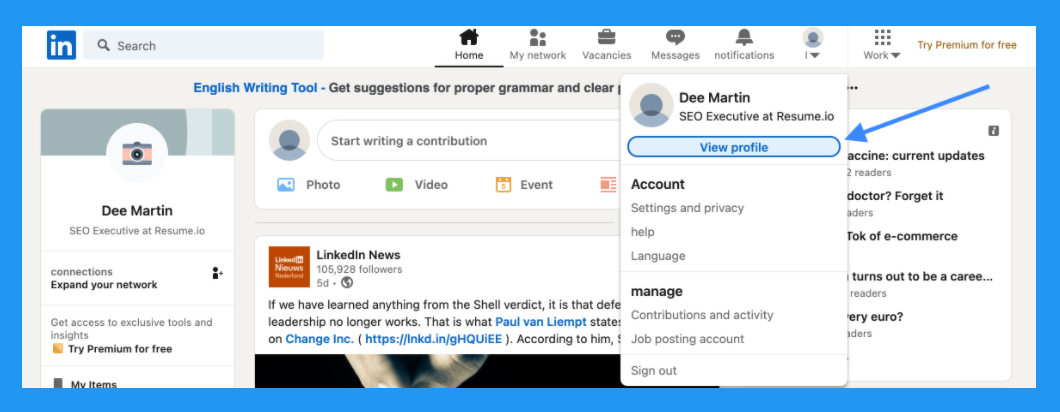
1. Navigate to your profile page
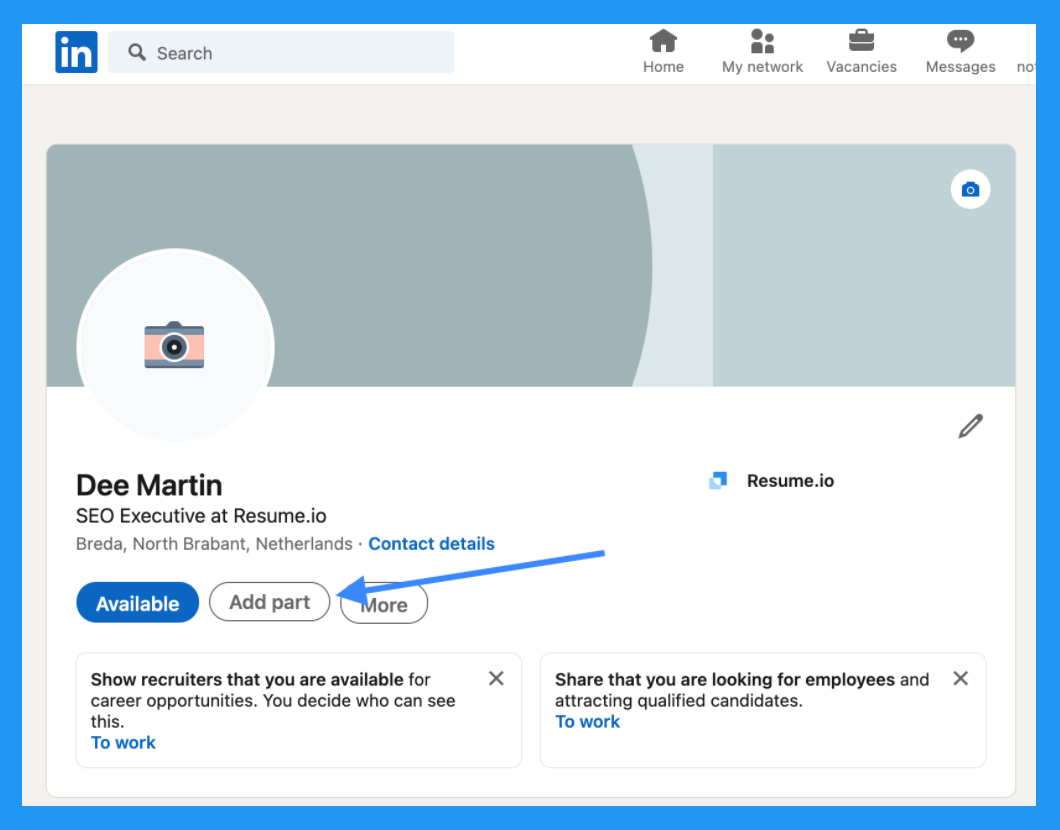
2. On the left-hand side, underneath your name and connections, choose the grey bubble labeled “Add section”
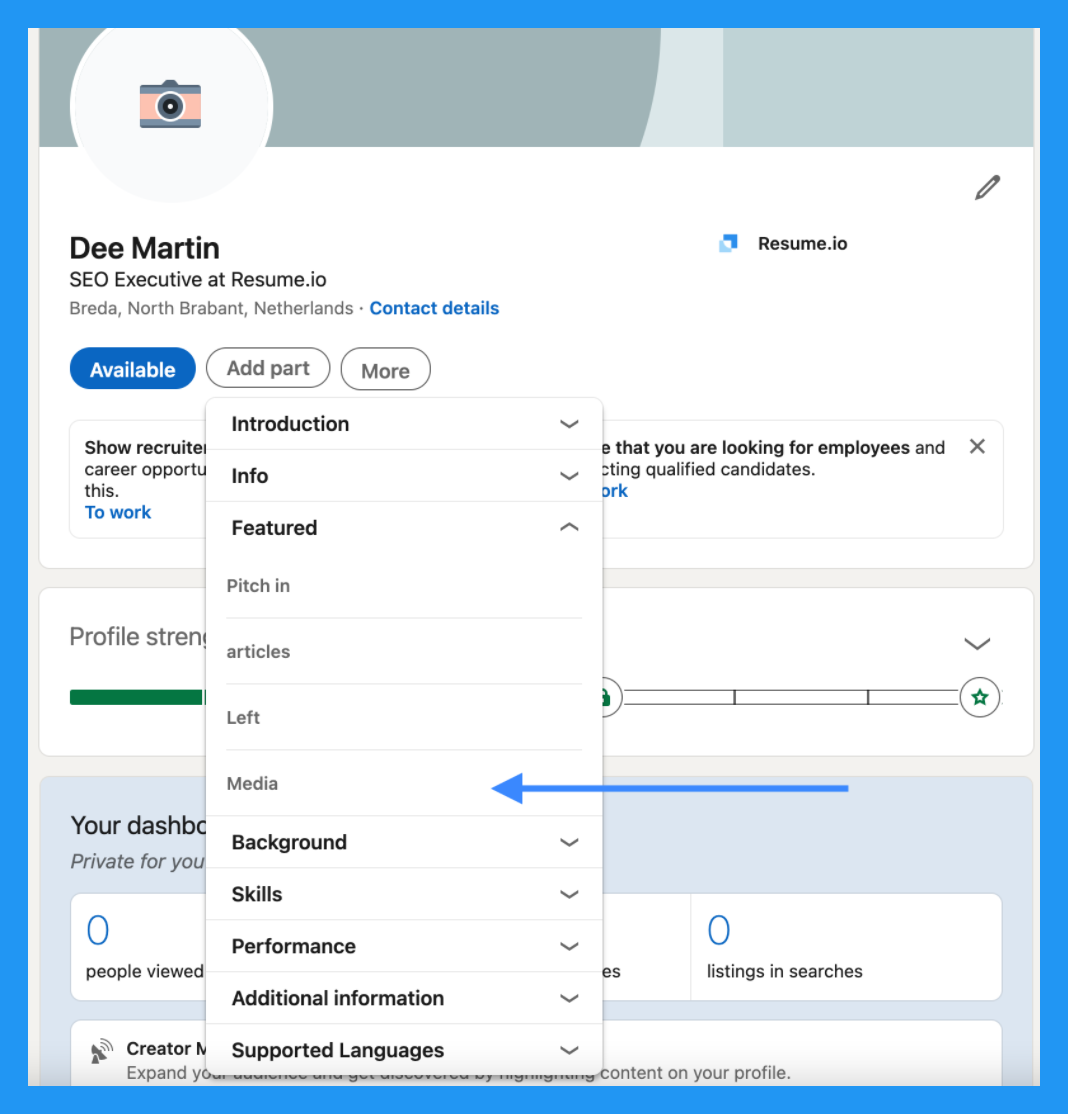
3. In the drop down menu labeled “Featured,” choose “Media”
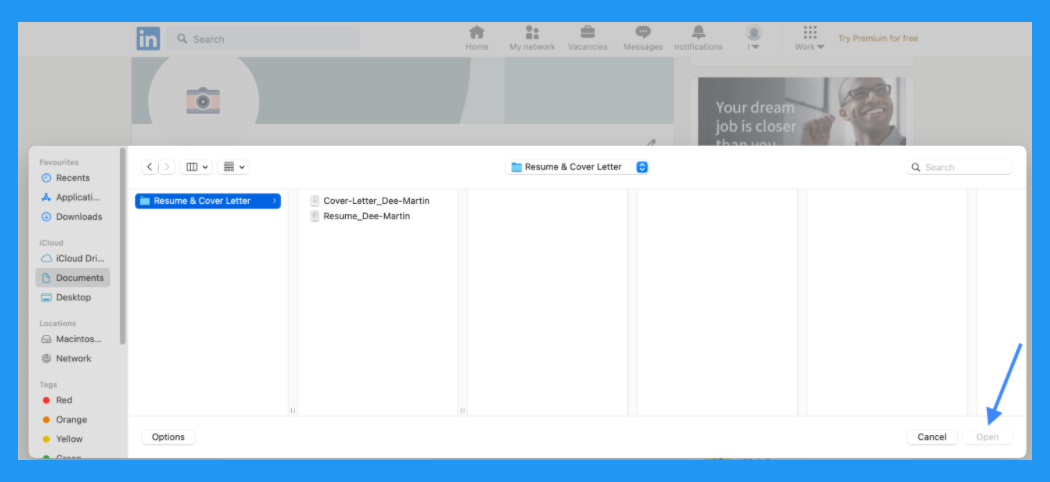
4. Navigate to the file on your computer and click “Open”
Pros: If you want a recruiter to find your full and complete resume just as it would be if you emailed it to them, this is the best way to make sure they see it on your LinkedIn. Sure, they may email you, but if they can download it from here you are saving them time.
Cons: Since an up-to-date LinkedIn profile contains most of the elements on your resume, uploading your resume as Featured Media may give the impression that you’re not quite comfortable using the platform to its fullest. You may also be wasted the fantastic opportunity of the featured media section.
Expert tip
How do I post my resume to LinkedIn?
An alternative to using the “Featured Media” option is simply to make a post that includes your resume. While it won’t be nearly as visible on your profile, it will catch the eye of any of your connections scrolling through their feed. If there are any potential employers, future colleagues or recruiters – this will show them your resume. Just make sure to write some appropriate/engaging text as well.
To post your resume, begin by navigating to the home page (look for the house icon on the upper banner.) Write a post just as you would on any other social media platform. Use the “Add a document” icon to include your resume before you send your post into the world!
2. Add your resume information to each LinkedIn section
If your goal is just to share the information that’s on your resume and you don’t care about the recruiter seeing the actual file, then transferring your experience to each LinkedIn section instead of adding the actual resume to LinkedIn is the best way to go. As with any resume, you need to hope that they will be interested enough to scroll to the bottom and read all of your wonderful experience.
It may be seen as a little lazy to simply copy/paste your resume into each section. Don’t do that. LinkedIn offers far more space to describe your experiences, so consider adding to what is on your resume. Use devices such as bullet points to focus on your core selling points. You should also make the information on your LinkedIn profile as general as possible to attract various interest from different employers. Your LinkedIn profile shouldn’t be too narrow.
Here’s how to do that:
1. Navigate to your profile
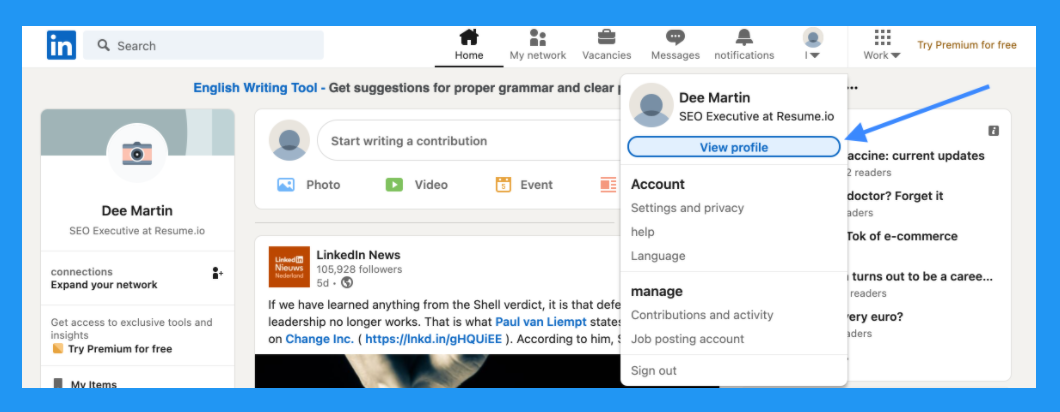
2. On the left-hand side, underneath your name and connections, choose the grey bubble labeled “Add section”
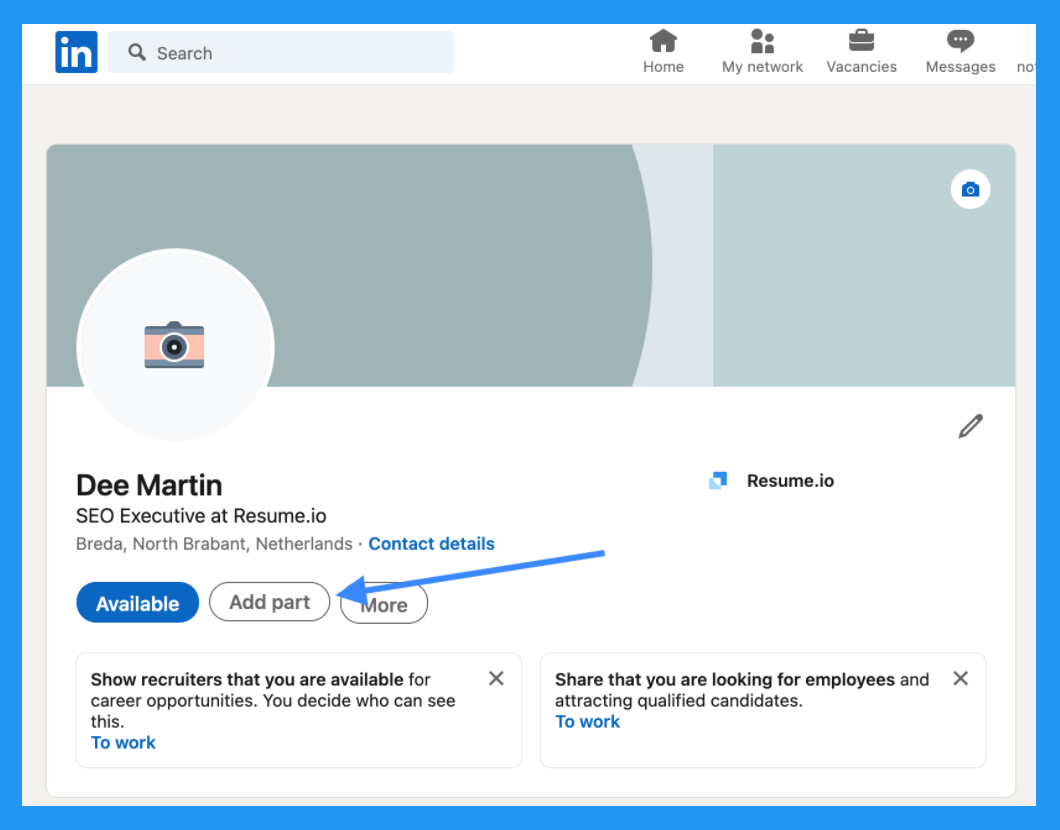
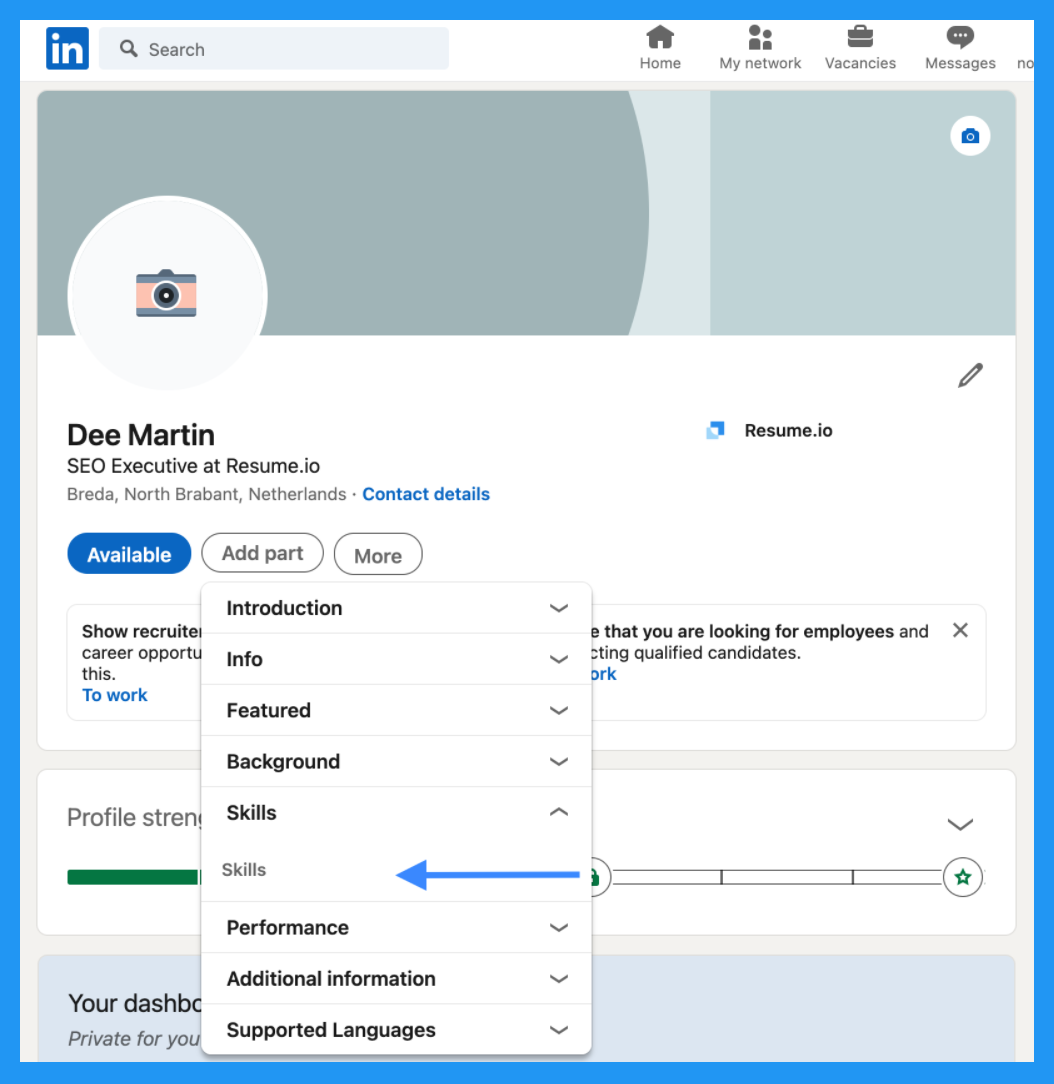
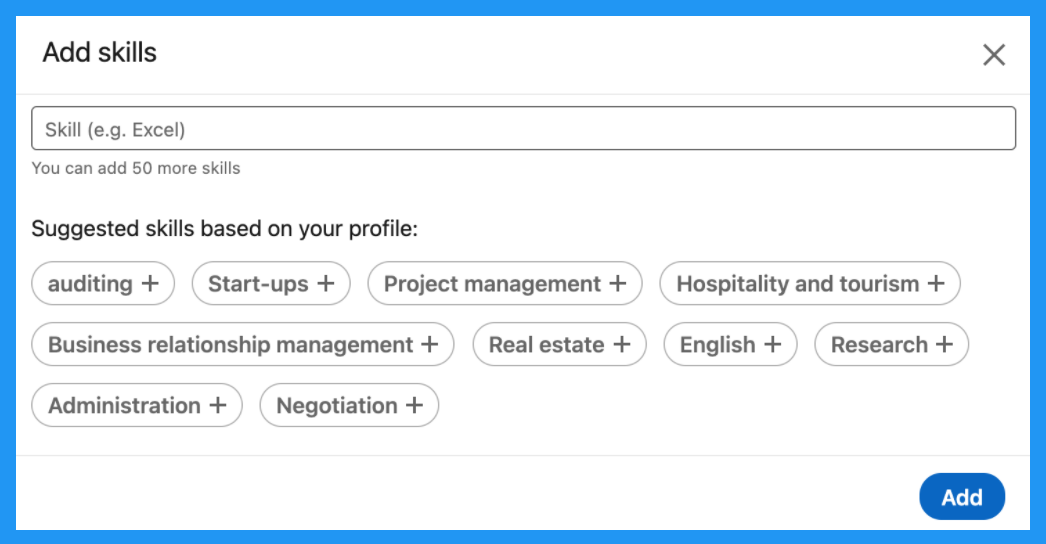
3. Use the drop down menus to navigate to all the different possible sections including “Work Experience,” “Skills” and “Education”
4. Copy over the information from your resume into the corresponding boxes on LinkedIn
In short, always remember that a great LinkedIn profile often (not always) performs the function of a resume!
Pros: This is the way LinkedIn is intended to be used so this method serves to give a complete picture of your career path and also demonstrates that you’re comfortable with the platform.
Cons: This isn’t the way you should submit your resume when applying for jobs. We’ll cover that next.
Leave a Reply